You have legally changed your name. You have your deed poll. You have even updated your passport. Yet, when you try to type your new name into an online form—whether it's for an airline ticket, a credit check, or a utility bill—the screen flashes red: "Invalid Characters" or "Name does not match records."
In 2026, many "legacy" computer systems still struggle with modern names. From double-barrelled surnames to names with apostrophes (like O'Connor), automated validation rules can be a nightmare for people with non-standard names. Here are the most common rejection scenarios and the workarounds to fix them.
1. The Hyphen Headache
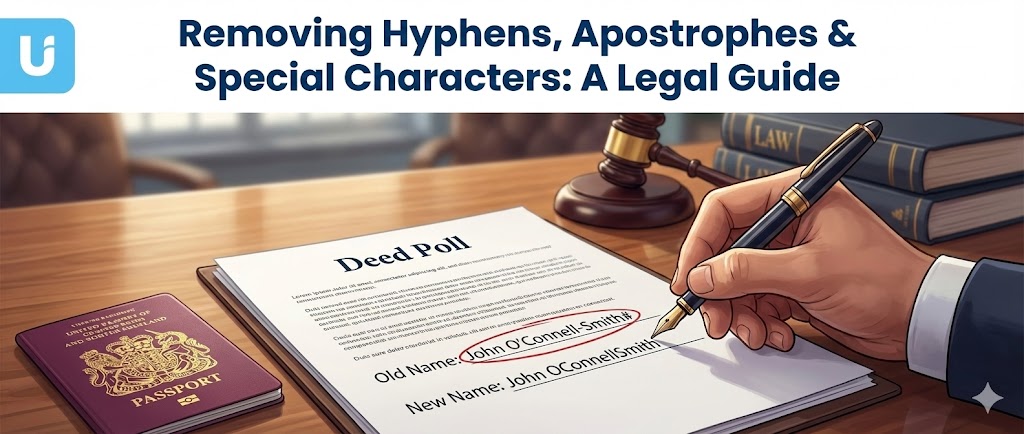
The Problem: You have double-barrelled your surname (e.g., Smith-Jones), but the airline or bank system tells you that hyphens are "invalid characters."
The Fix:
- Travel/Airlines: The machine-readable zone (MRZ) at the bottom of your passport does not actually use hyphens; it replaces them with a "filler" character (usually a chevron <). Because of this, airline ticketing systems often require you to mash the names together or use a space. If Smith-Jones is rejected, type SMITHJONES or SMITH JONES. As long as the spelling is correct, you will be allowed to board.
- Banks: If their online form rejects the hyphen, try a space. If that fails, call them. They can manually override the field in the backend system, which the customer-facing web form cannot do.
2. The Apostrophe Glitch
The Problem: Names like O'Neil or D'Arcy often break SQL databases because the apostrophe is a piece of code used in programming. Poorly built websites strip it out to prevent hacking attempts (SQL injection).
The Fix:
- Simply omit the apostrophe. Type ONEIL or DARCY.
- This is standard practice in the banking and airline industry. It does not make your booking "invalid." Your legal document says O'Neil, but the digital record says ONEIL—humans verifying your ID understand this limitation of technology.
3. The "Name Mismatch" on Credit Checks
The Problem: You apply for a phone contract or a loan in your new name, and you are instantly declined. The computer says "Identity cannot be verified."
The Cause: The credit reference agency (Experian/Equifax) hasn't linked your new name to your old credit history yet. The computer thinks you are a ghost who has just popped into existence.
The Fix:
- Don't keep applying: Every rejected application leaves a "hard search" footprint, damaging your score further.
- Check the Electoral Roll: This is the primary data source. Ensure your local council has updated your voter registration.
- Wait 4-6 Weeks: It takes time for the data to propagate. If you need credit urgently, go into a branch with your physical Deed Poll and ask for a manual application review.
4. Character Limits
The Problem: You have adopted a long or triple-barrelled name, and it literally doesn't fit in the box.
The Fix:
- Credit Cards: You can ask for an "embossed name" that is different from your "account name." Your statement might say Elizabeth Alexandra Mary Windsor-Mountbatten, but your card can just say E A M Windsor-M.
- Forms: If a paper form doesn't have enough squares, continue writing clearly outside the box or attach a separate sheet. For online forms, abbreviate middle names to initials.
5. The "Title" Trap
The Problem: You have changed your title to Mx (a gender-neutral title), but the drop-down menu only offers Mr, Mrs, or Ms.
The Fix:
- Legally: You are entitled to use Mx. Many government and banking systems now support this.
- Technically: If a private company's website hasn't caught up, you are often forced to pick a binary title to proceed. This is frustrating but does not invalidate the transaction.
- Action: Select the closest option to get the account open, then immediately send a "Title Change Request" via secure message or letter, insisting they update their records to Mx manually.
Conclusion
Computer systems are rigid, but the law is flexible. If a computer rejects your name, remember that it is a technical failure, not a legal one. Usually, removing special characters (hyphens/apostrophes) is the safe, industry-accepted way to bypass these digital gatekeepers.
However, if an organization refuses to update your name because their "system won't allow it," they may be in breach of GDPR (the right to accurate data). You have the right to insist on a manual correction.
Ready to start the process? Get your Deed Poll here.